

Android smartphones used daily for a year or longer gradually accumulate unnecessary data. Application caches from unopened apps, system files, old downloads, and background processes take up memory and strain the device. While individual files cause little harm, they combine over time to slow down phone performance.
Buying a new smartphone or replacing parts is unnecessary, according to CNET. Users can speed up two-year-old or three-year-old devices in ten minutes by performing a digital cleanup and adjusting system settings.
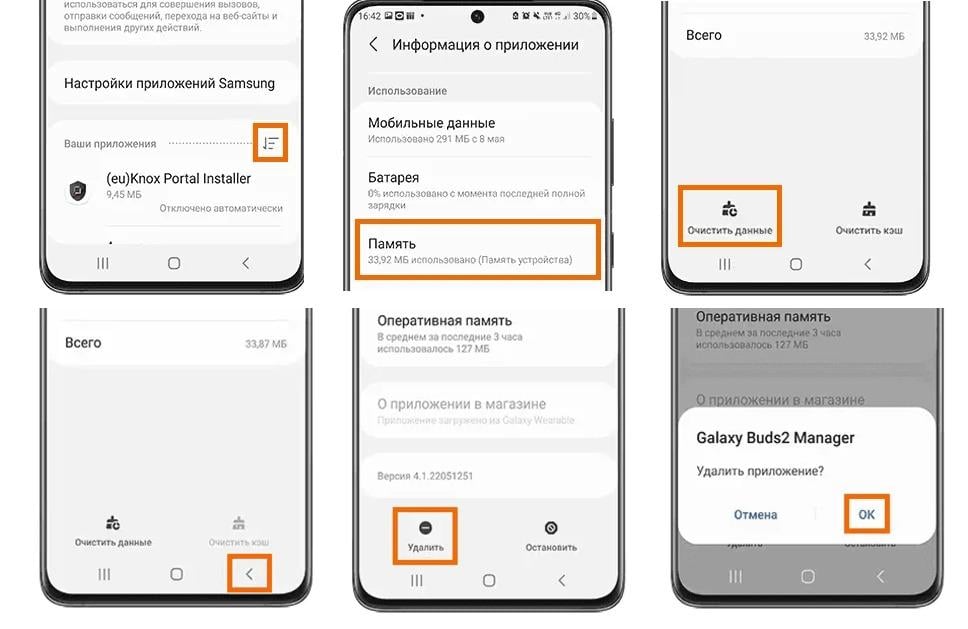
Removing unused applications
Users should review their home screen or app menu to delete unused programs. These applications take up storage, run in the background, and retain system permissions granted during installation.
To remove applications completely, open Settings and navigate to Apps, then All Apps. Select the target application, open Storage and Cache, and tap Clear Storage and Clear Cache to remove temporary files. Return to the previous screen, press Uninstall, and confirm the action.
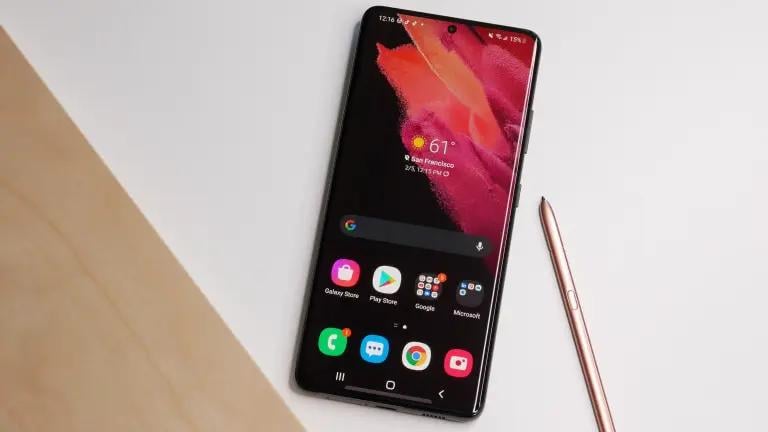
Clearing old system files
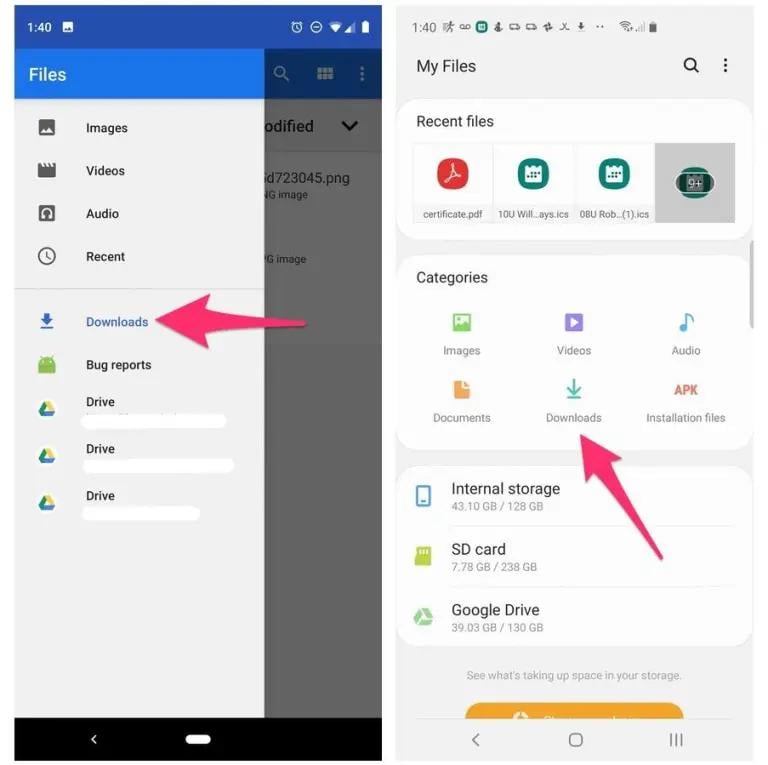
Unneeded documents, photos, videos, and downloads also accumulate in memory over time. File management tools vary by manufacturer: Samsung uses My Files, Google Pixel uses Files, and OnePlus uses File Manager.
Users should check the Downloads folder first. Unnecessary files can be deleted, while important files can be moved to Google Drive or other cloud storage. File managers also identify the largest files, which is useful when large videos occupy tens of gigabytes of storage space.
Customizing home screen settings
Android allows users to alter interface appearance without installing third-party launchers or icon packs. Pressing and holding an empty space on the home screen opens Home Screen Settings.
Users can adjust the app grid size, such as switching from 4x5 to 5x5 to display more icons, or reducing icons for a minimalist look. Home screen settings also offer gesture controls, including swiping down to open the notification panel.
Auditing application permissions
System settings can be adjusted for convenience. Enabling dark theme changes the appearance and reduces power consumption on OLED displays. Users can also review display and notification settings.
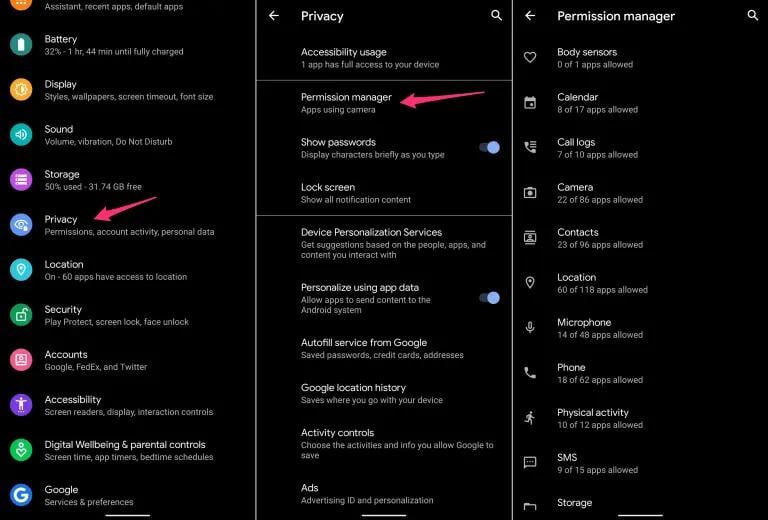
The final step involves checking privacy permissions. Open Settings, tap Privacy, and select Permission Manager. Users can review categories and revoke access to location, contacts, camera, microphone, or calendar for unused applications.
In related technology reports, experts identified six Samsung features not found on other Android smartphones. UNIAN reported on whether connecting a cable and wireless charger simultaneously increases charging speed. Additional reports covered eight USB-C port functions beyond charging, ten upcoming innovations for the iPhone 18 Pro release next month, and features of the Samsung Galaxy S26 FE.