

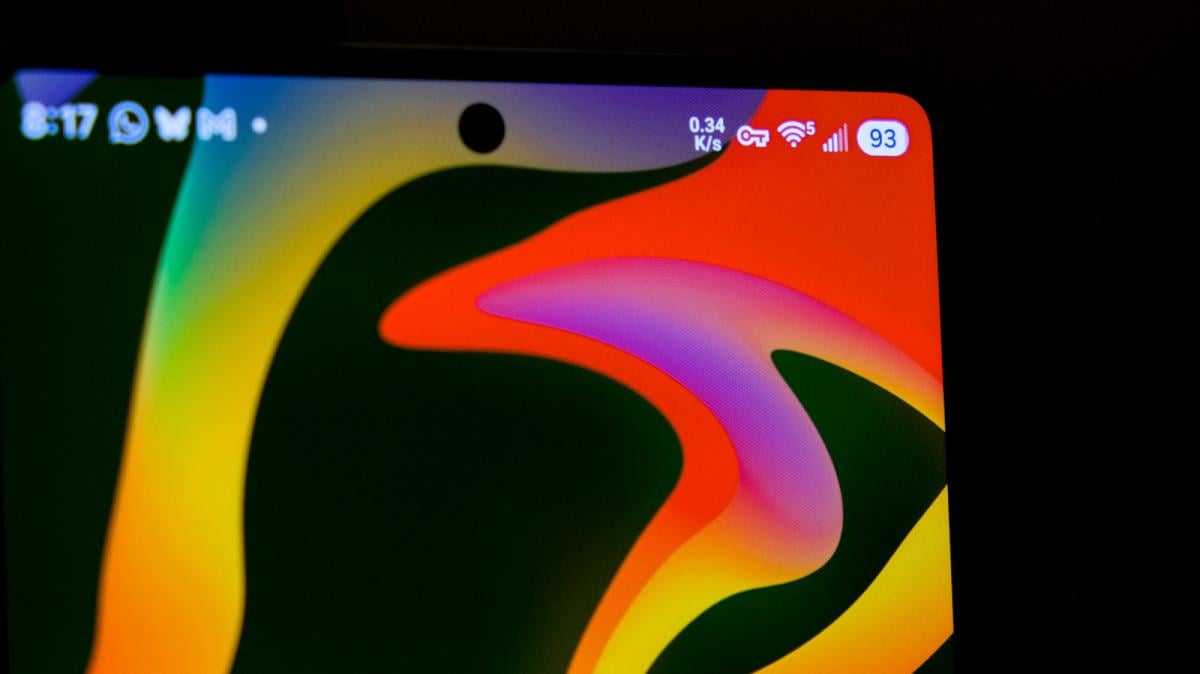
A small key icon appearing in the status bar of Android smartphones is not a sign of a hack or a software error. It confirms that a virtual private network, or VPN, is actively encrypting the device's internet traffic, according to the technology publication Engadget.
A VPN works by routing a device's internet traffic through an encrypted tunnel to a remote server, which hides the user's real location and scrambles data from anyone trying to intercept it. The icon, shaped like a key with two prongs pointing left, shows up in only one situation: when a VPN service is running on the phone and encrypting all incoming and outgoing data. As long as the key stays visible, the device's real IP address is hidden from outside observers and its data remains protected on public Wi-Fi networks. If the icon disappears, the VPN connection has stopped and the traffic is no longer encrypted.
Why You Can't Remove the Icon on Most Phones
On most Android devices, there is no way to hide the key icon while a VPN is active. Developers deliberately blocked that option for security reasons, so users can always tell at a glance whether encryption is running in the background.
Engadget notes one exception: Samsung Galaxy owners. They can download Good Lock, Samsung's official app for customizing the look of its phones' interface, from the Galaxy Store, open its QuickStar module, and turn off the VPN indicator in the notification panel settings.
How to Turn a VPN On or Off on Android
Since the icon is tied directly to the VPN connection, the simplest way to remove it from the screen is to stop the connection itself. There are a few ways to do that.
Users can open their installed VPN app and tap the disconnect button; many services also place a quick-disconnect shortcut directly in the notification shade. On Pixel phones and devices running stock Android, pulling down the notification shade, tapping the active background apps indicator at the bottom of the screen, and selecting "Stop" next to the service will also work.
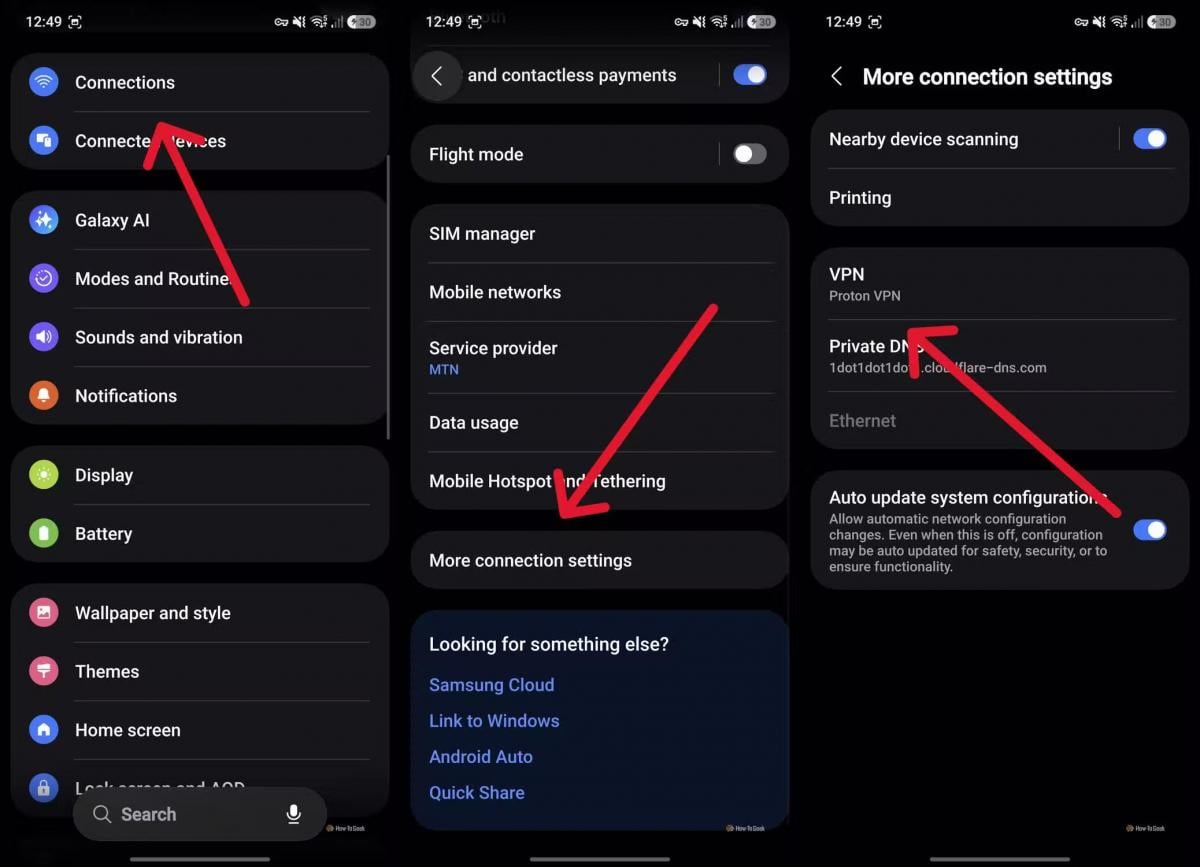
If users are not sure which app is running the VPN, they can check the system settings instead. On most Android phones, that means going to Settings, then Network & Internet, then VPN. On Samsung Galaxy devices, the path is Settings, then Connections, then Other Connection Settings, then VPN. From there, selecting the active connection marked "Connected" and tapping "Disconnect" turns it off.
What a VPN Does and Doesn't Protect
Running a VPN on a smartphone boosts privacy in a couple of concrete ways. Internet providers and the owners of open Wi-Fi hotspots cannot see which websites a user visits, and switching the VPN's virtual location can unlock content that is otherwise unavailable in a user's own region. Public networks in places like cafes and airports are a common point for data interception, which is part of why the encryption shown by the key icon matters.
But Engadget also points out the technology's limits. While a VPN hides a device's IP address, it does not stop websites and social networks from tracking users through cookies, logged-in accounts such as Google or social media profiles, and a device's digital fingerprint. Some websites also treat traffic coming from VPN servers as suspicious, which can mean more frequent CAPTCHA prompts or pages that simply refuse to load until the encryption is switched off.
Test yourself
What does the key icon in Android's status bar indicate, according to Engadget?
Which app lets Samsung Galaxy owners hide the VPN icon?
Which of these can a VPN NOT protect a user from, according to the article?
Have your say
Do you use a VPN on your phone?